An enquiry comes in on Monday and the money is in the bank with a
review asked for by Friday. Every screen below is the real app.
The enquiry lands
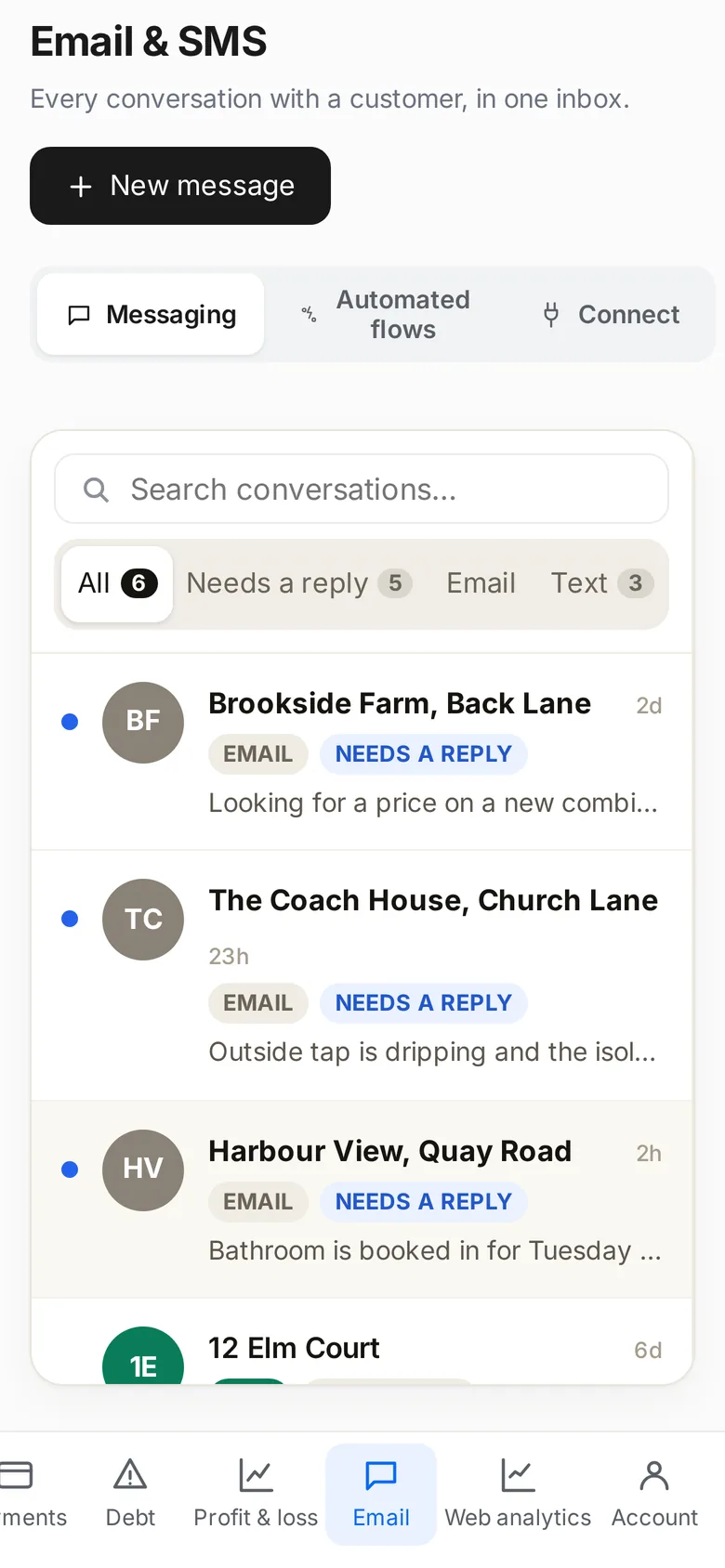
Somebody fills in your website form or texts the business number. It arrives in one inbox with the job it is about, not on somebody's personal phone.
Every conversation with a customer, in one inbox.
You price it
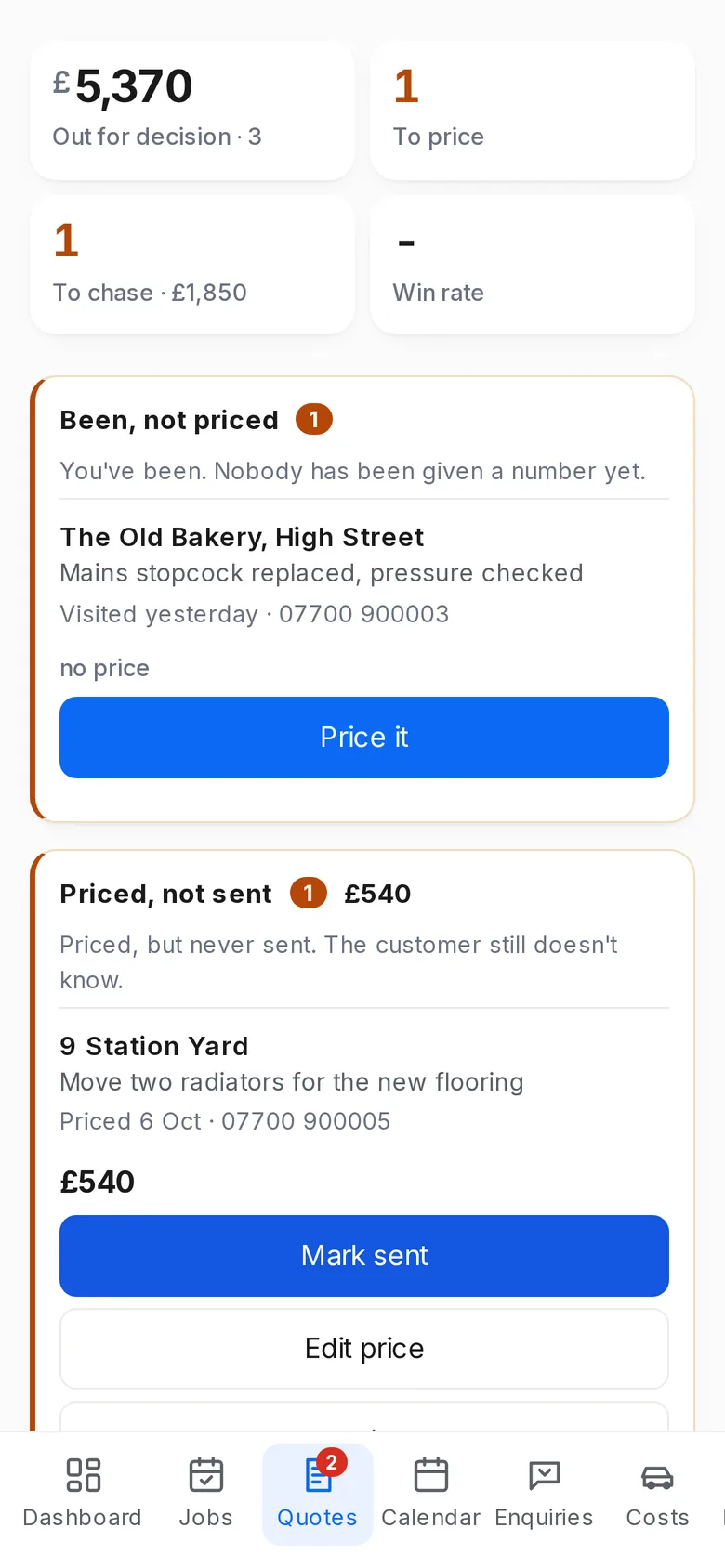
Build the price out of materials and labour and see your margin before you send it. It goes as a text or an email, and the board tells you which ones have gone quiet.
Quotes: been and not priced, priced and not sent.
It goes in the diary
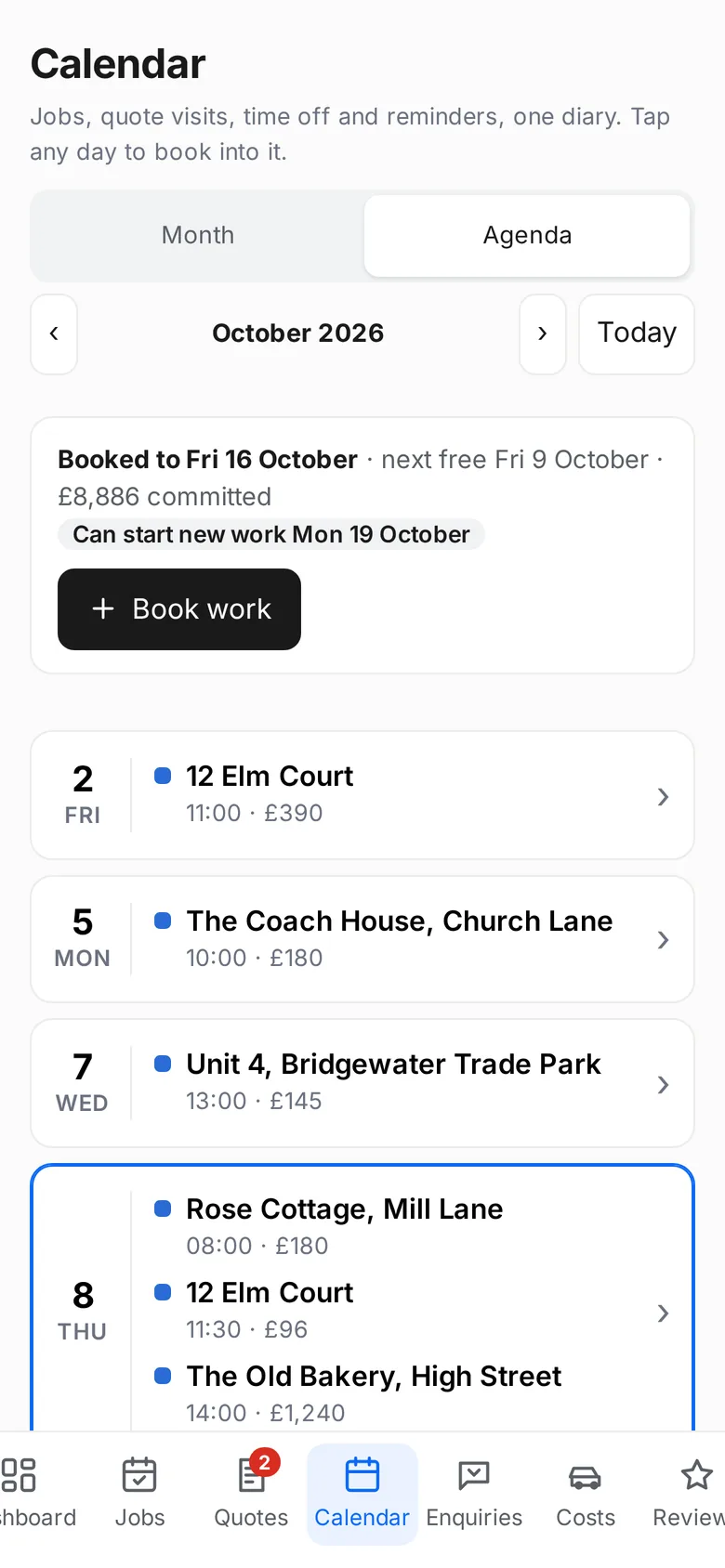
Win it and the quote becomes the job, with nothing retyped. The diary tells you the first day you are genuinely free rather than the first empty square.
One diary: jobs, quote visits, time off.
Your engineer is on it
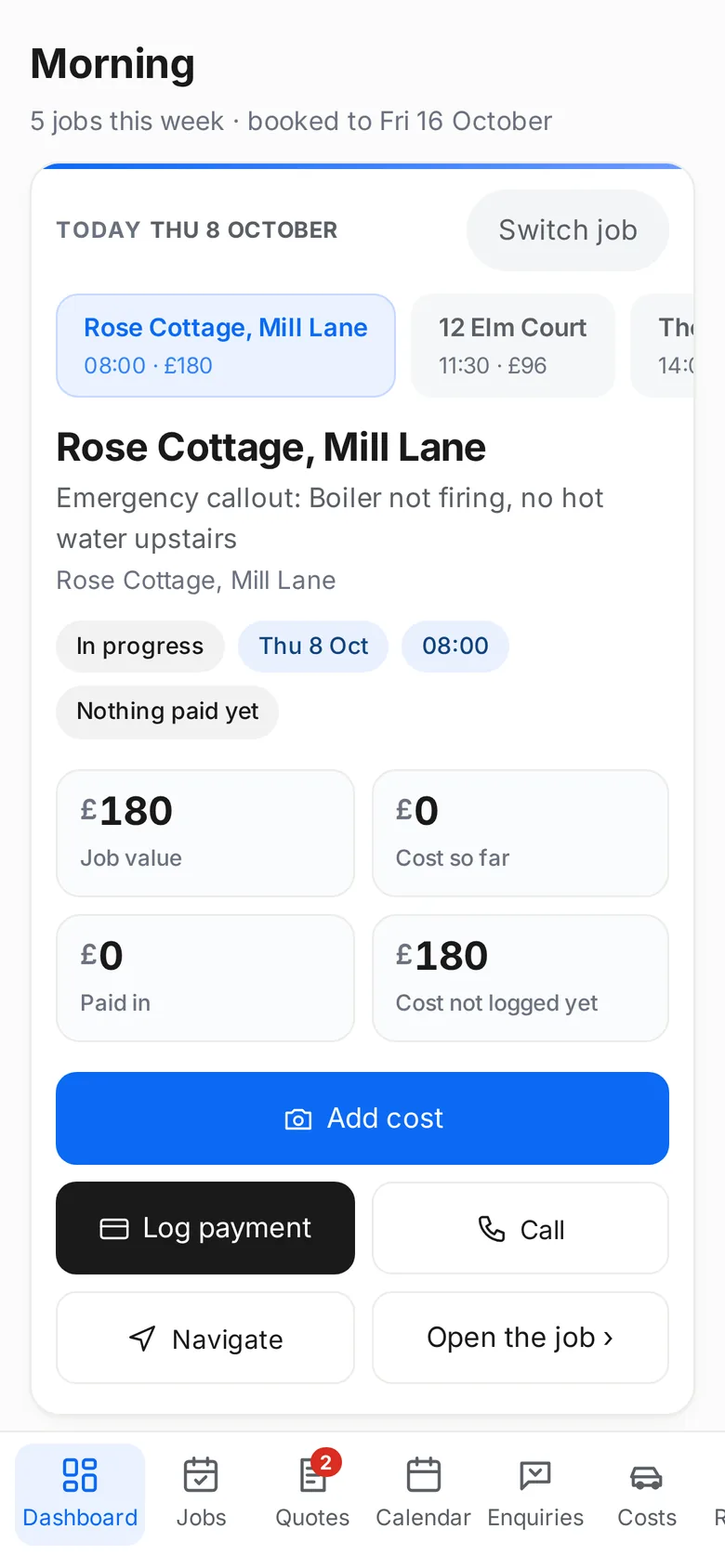
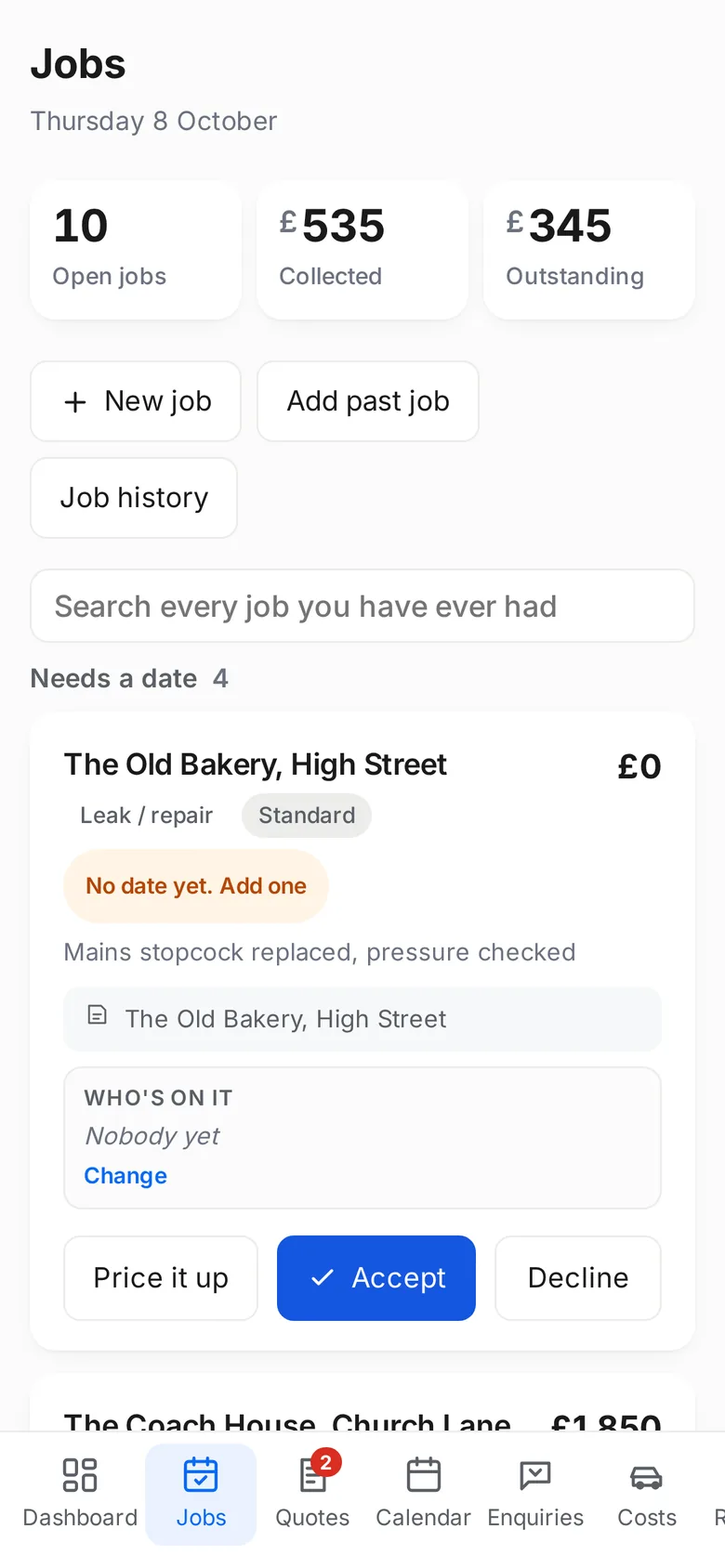
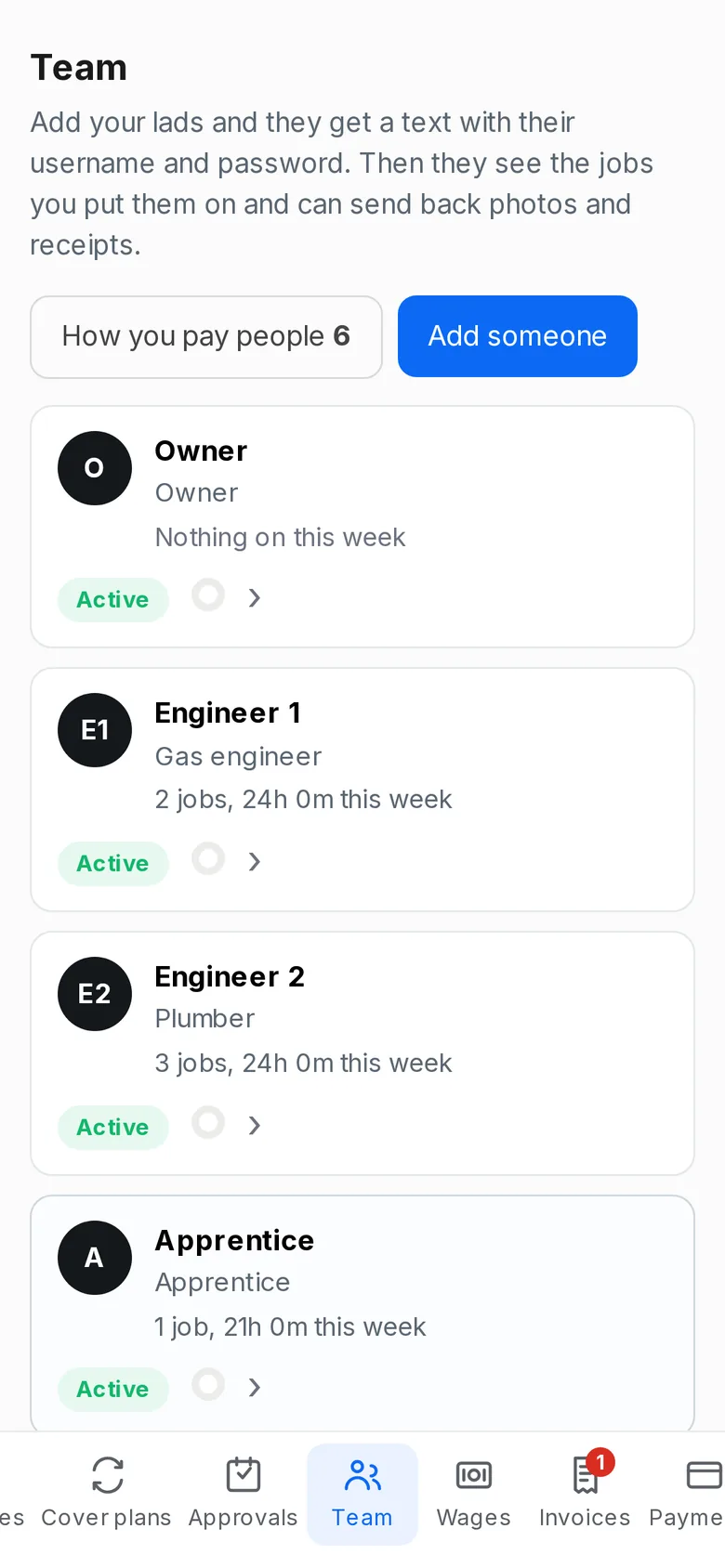
He gets the job on his own login, clocks in, and sends photos and receipts back from site. You see the value, the cost so far and what is still owed on it.
The work board, in the order the day happens.
The invoice goes out and chases itself
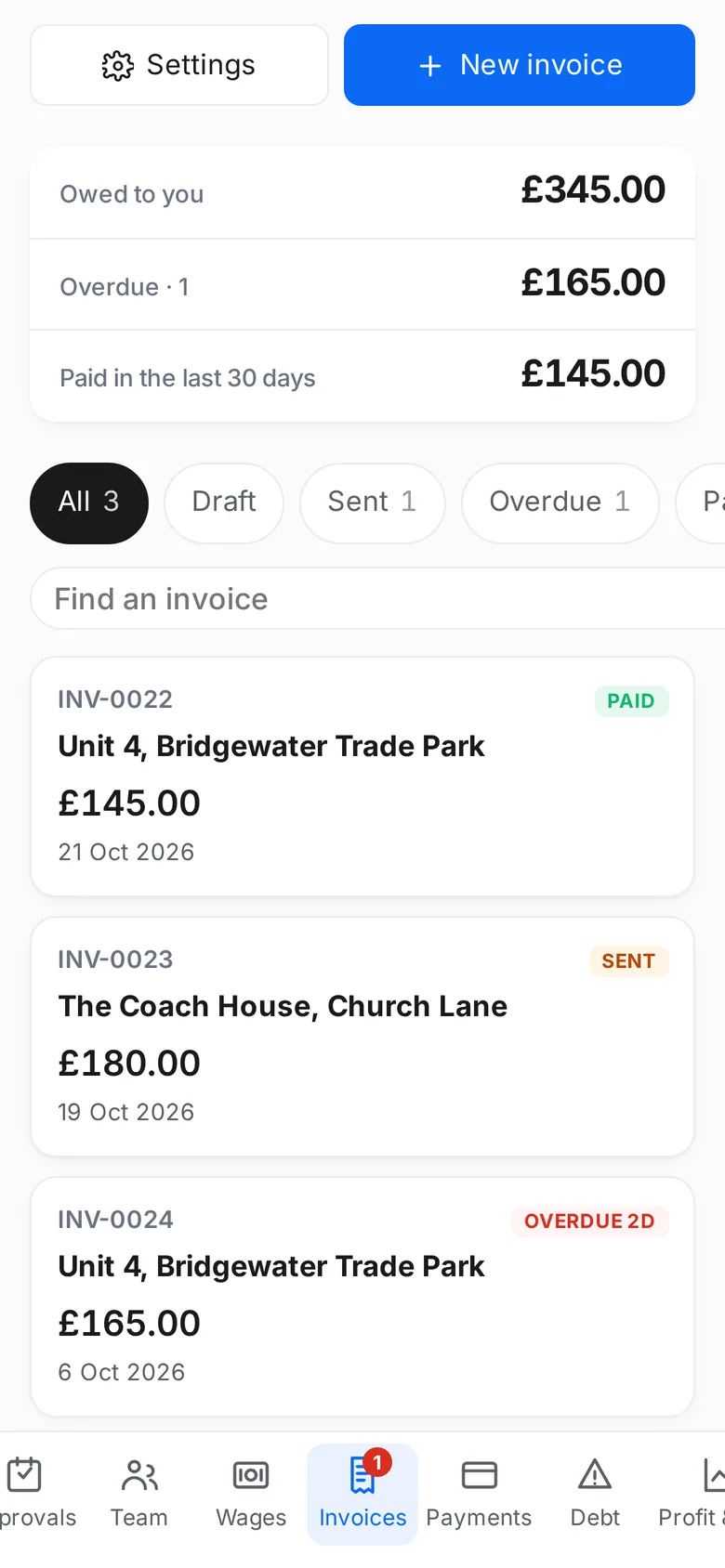
One tap from the finished job. The numbering, the VAT wording and the terms are handled, and the reminders go out without you.
Owed, overdue, and paid in the last 30 days.
The review asks itself
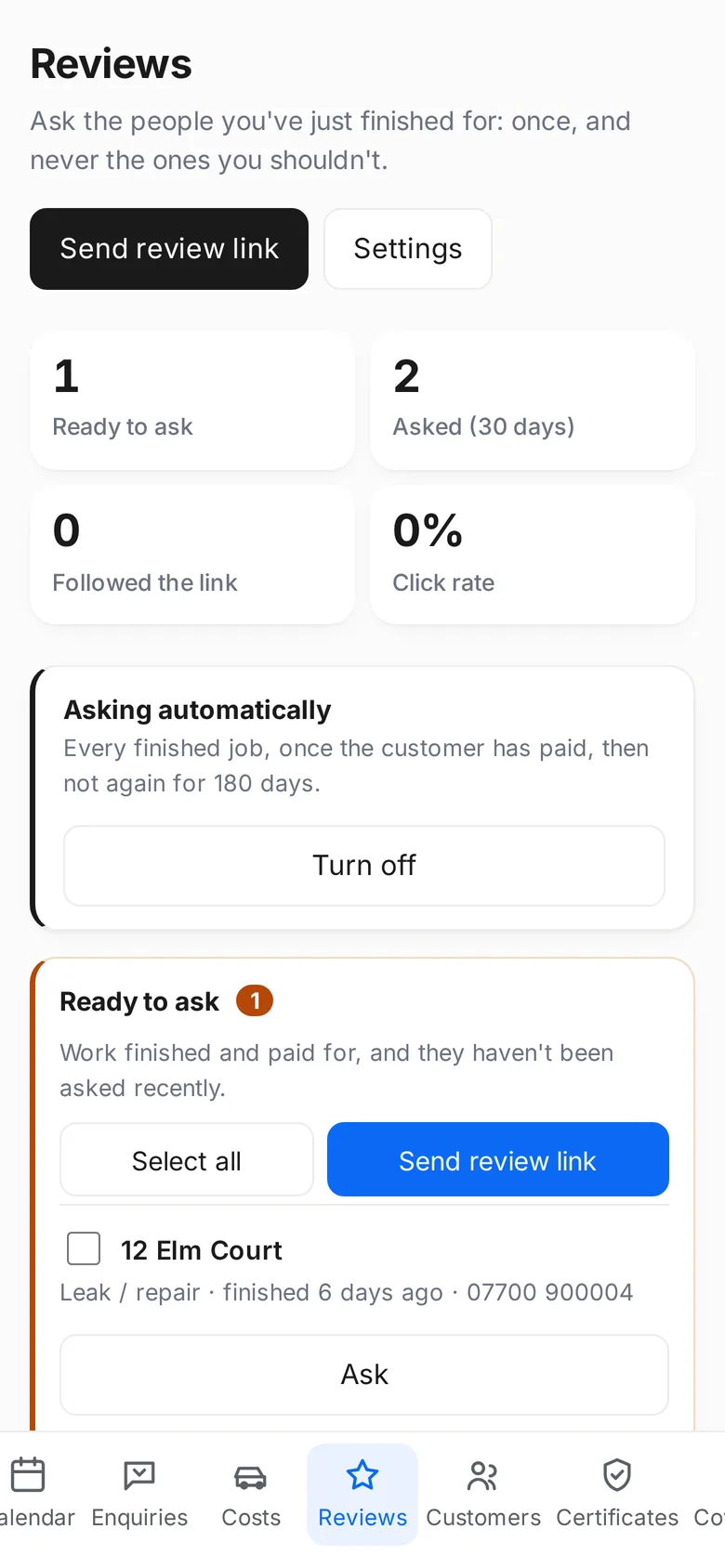
Paid, and the request texts itself. Once per customer, never the ones you should not ask, and you can see who followed the link.
Asked automatically, once the customer has paid.
And you can see what you made on it
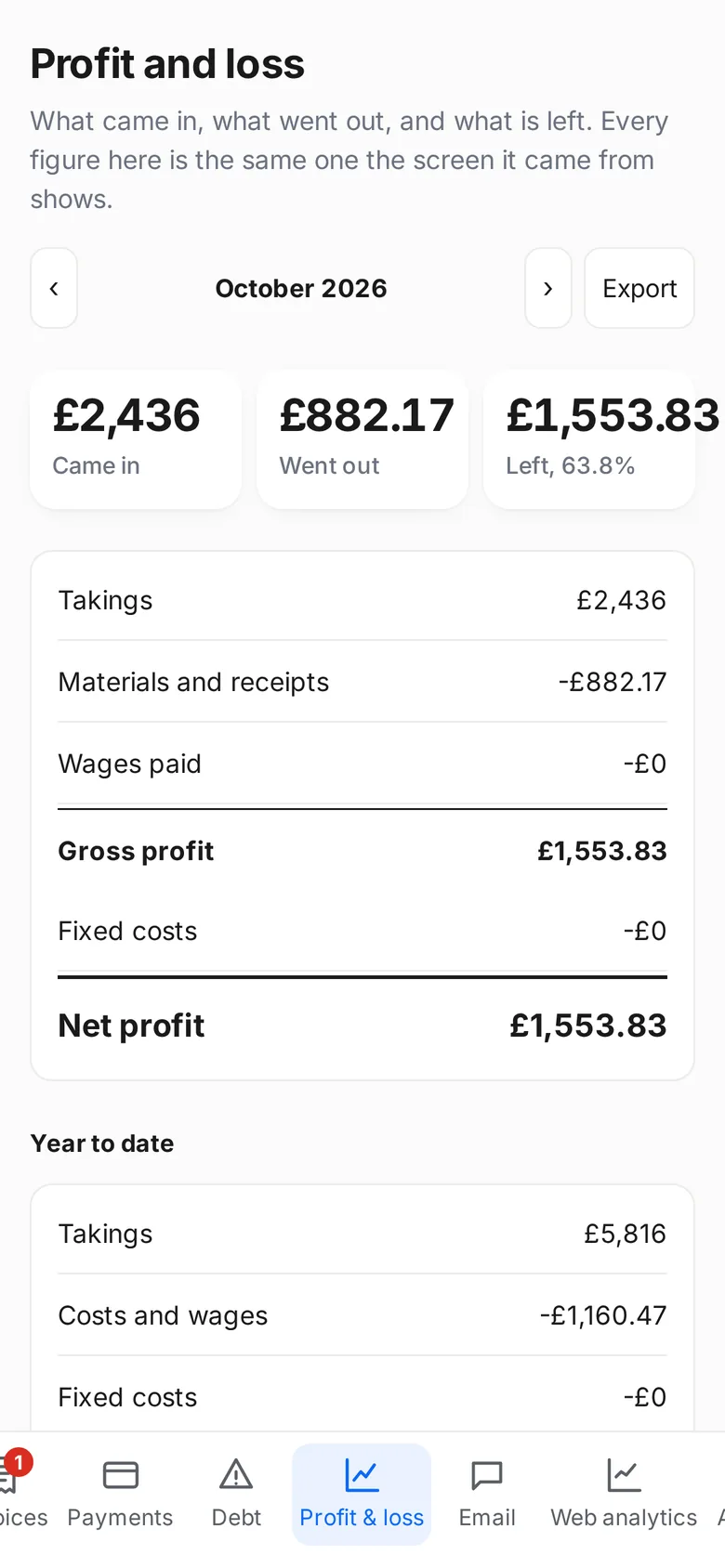
What came in, what went out, what is left — the same figures the screens they came from show, month by month and for the year.
Takings, costs, wages, and what is left.
Put this week's work in and see.
Fifteen minutes on a demo call, or set it up yourself and have your own jobs on the screen tonight.
Every job in one list, in the order the day happens: who it is for, what it is worth, who is on it and what has been paid. Book new work into the diary from the same screen.
One diary, not three
Jobs, quote visits, time off and reminders in one place. Tap a day to book into it, and the app tells you the first day you are genuinely free rather than the first empty square.
Your team
Add your lads and they get a text with their own login. They see the jobs you put them on, clock in and out, send back photos and receipts, and ask for holiday. You approve the hours before they count.
Wages and pay slips
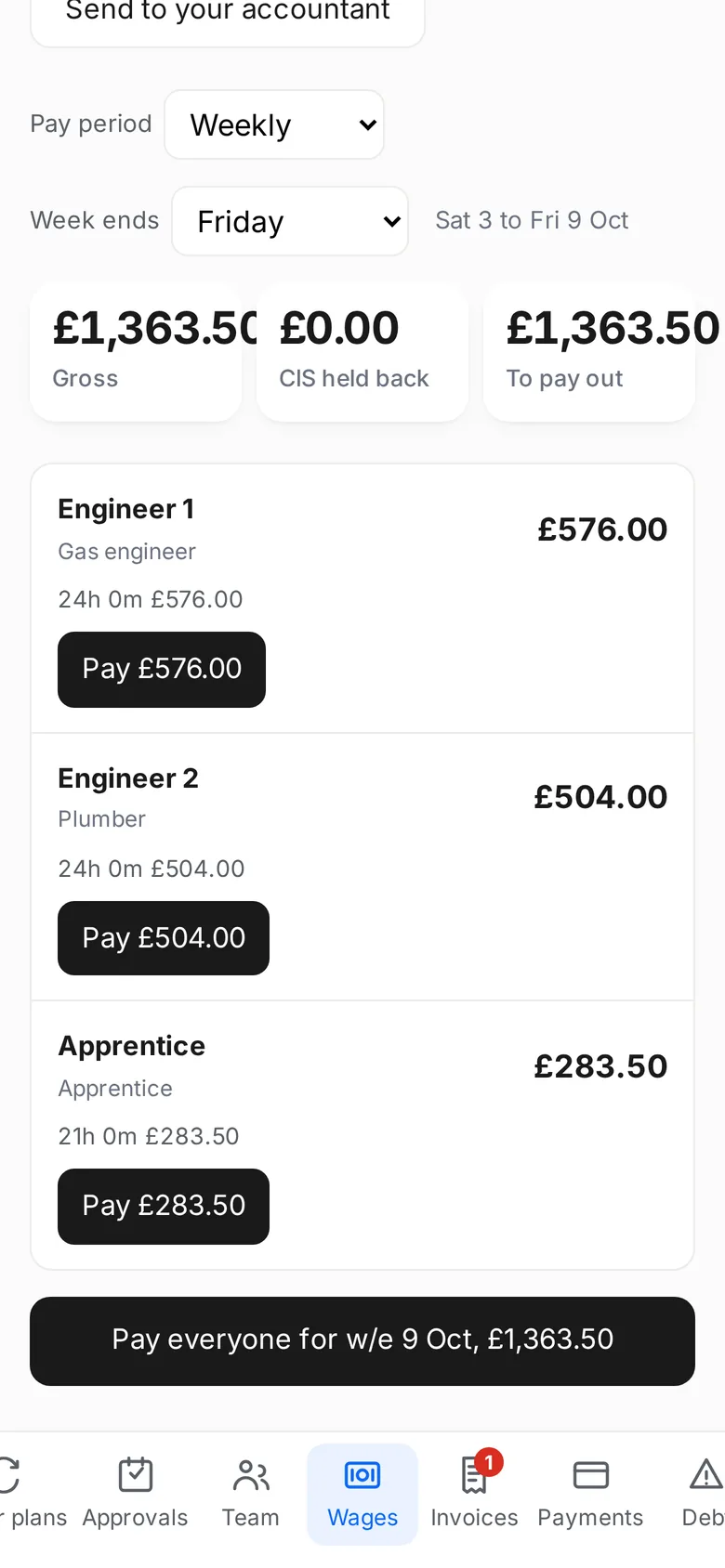
The hours you have agreed become what everybody is owed, worked out for you. Pay them one at a time or all at once, and send the lot to your accountant without typing it twice.
The quote builder
Build a price out of materials and labour, see your margin before you send it, and send it as a text or an email. Win it and it becomes the job with nothing retyped.
Invoices that chase themselves
One tap from a finished job. The numbering, the VAT wording and the payment terms are handled, the reminders go out on their own, and the screen tells you who still owes you.
Expenses and receipts
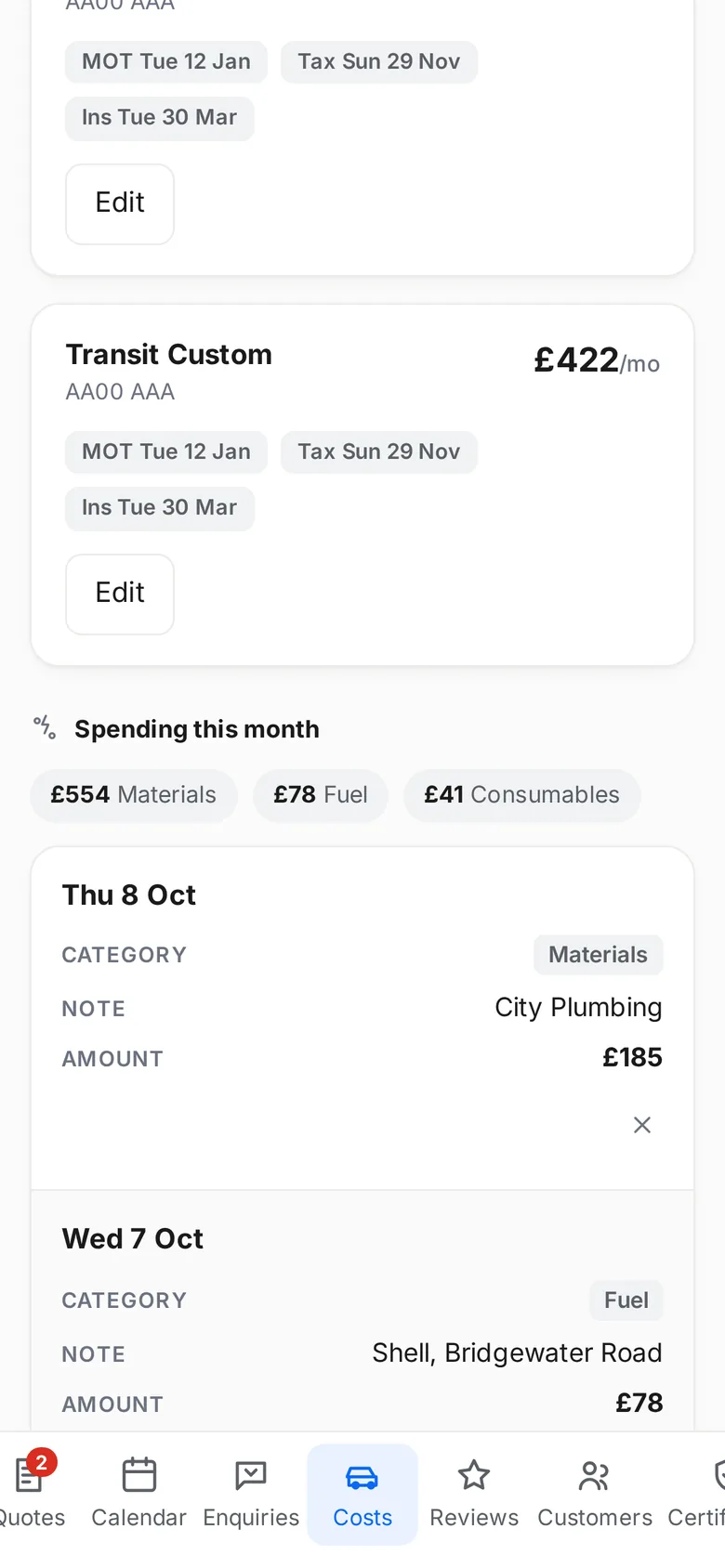
Photograph a receipt and the cost fills itself in. Fuel, materials, the van and the standing bills all land in the same place, so what a job really cost is not a guess at the end of the month.
Profit and loss
What came in, what went out and what is left, month by month and for the year. Every figure is the same one the screen it came from shows, and it exports for your accountant.
Customer texts in one inbox
Every text and email with a customer on one thread, so nobody is chased twice and nothing is answered from somebody's personal phone.
Google reviews, asked for automatically
Finish a job, take the money, and the review request texts itself. Once per customer, never the ones you should not ask, and you can see who followed the link.
How it works
Three steps, and you are running.
1
Start your free trial
Two minutes. Your name, your trade and a card, and nothing is charged for 14 days.
2
Download the app and log in
On an iPhone it is on the App Store. On Android it works in your phone's browser and adds to your home screen like any other app.
3
Add your jobs and your team
Put this week's work in, add your lads, and they get their own login by text.
Yes, and nothing is taken for 14 days. We ask for it so the app keeps working on day fifteen without you having to do anything, and so the trial is a trial of the real thing rather than a cut-down version. Cancel inside the trial and you are not charged at all.
Can I cancel?
Any time, from inside the app or by replying to any email we send you. There is no contract and no notice period. Cancel during the trial and nothing is charged; cancel later and it stops at the end of the month you have paid for.
Does it work on an iPhone?
Yes. It is on the App Store, and the badge on this page goes straight to the listing.
Does it work on Android?
Yes. It works in your phone's browser and adds to your home screen like any other app, so it opens full screen with its own icon. It is not on Google Play, so there is no Play badge on this page: we are not going to put a store badge on a listing that does not exist.
Can my staff have their own logins?
Yes. Add somebody on the Team screen and they get a text with their own username and password. They see the jobs you put them on, clock in and out, and send back photos and receipts. They never see your money screens unless you let them.
Can I add a website later?
Yes. The £197 package is this app plus a website built for your trade and a Google profile worked on every week. Moving up to it keeps everything already in the app, and you are not charged twice.
The business app
Have a look at it on your own jobs.
Fifteen minutes on a demo call, or put this week's work in yourself
and see.
Everything in the £197 package, and a Facebook and Instagram ads agency filling the diary on top of it. One price, not two.
Everything above, included: your website, your google profile, the business app, payments and invoicing, reviews on autopilot, hosting, changes and support
From £799 a month all in, plus your ad spend, which goes to Meta and not to us. The £197 package is inside this, not on top of it.
Enterprise and bespoke builds
Quotedper project
For a company that has outgrown off-the-shelf. We build the software round how the business actually runs, rather than asking the business to run the way the software does.
Bespoke CRM built for your operation, not a template
Internal apps for the jobs currently held together by spreadsheets
Your existing tools joined up so nothing is keyed in twice