How to Choose a CRM for Your Plumbing Business (Without Getting Ripped Off)
Most plumbing businesses get sold the wrong CRM. Here’s how to pick one that actually saves you hours instead of wasting your money.
Picking a CRM for your plumbing business is one of those jobs that sits on the “I’ll deal with it next month” list for about three years. Then a customer rings asking when you fitted their furnace, you can’t find the job sheet, and you realize the right plumbing CRM would have saved you the awkward phone call. This guide is the honest version — what these systems actually do, which ones are worth your money in the US, and which ones will quietly stitch you up.
No affiliate links, no “top 10 best ever” nonsense. Just what we’ve seen working (and not working) for plumbers running anything from a one-truck outfit to a 12-engineer firm.
What a CRM actually does for a plumbing business (in plain English)
Forget the marketing waffle. For a plumber, a CRM is just one box that holds all the stuff that used to live in six places — your phone contacts, the clipboard in the truck, the quote pad on the dash, the invoice book, the photos on your phone of that corroded shut-off valve, and the Square or Stripe app for taking card payments.
That’s it. If a system promises you “AI-powered customer journey orchestration”, run. You want software that does these six boring things, properly:
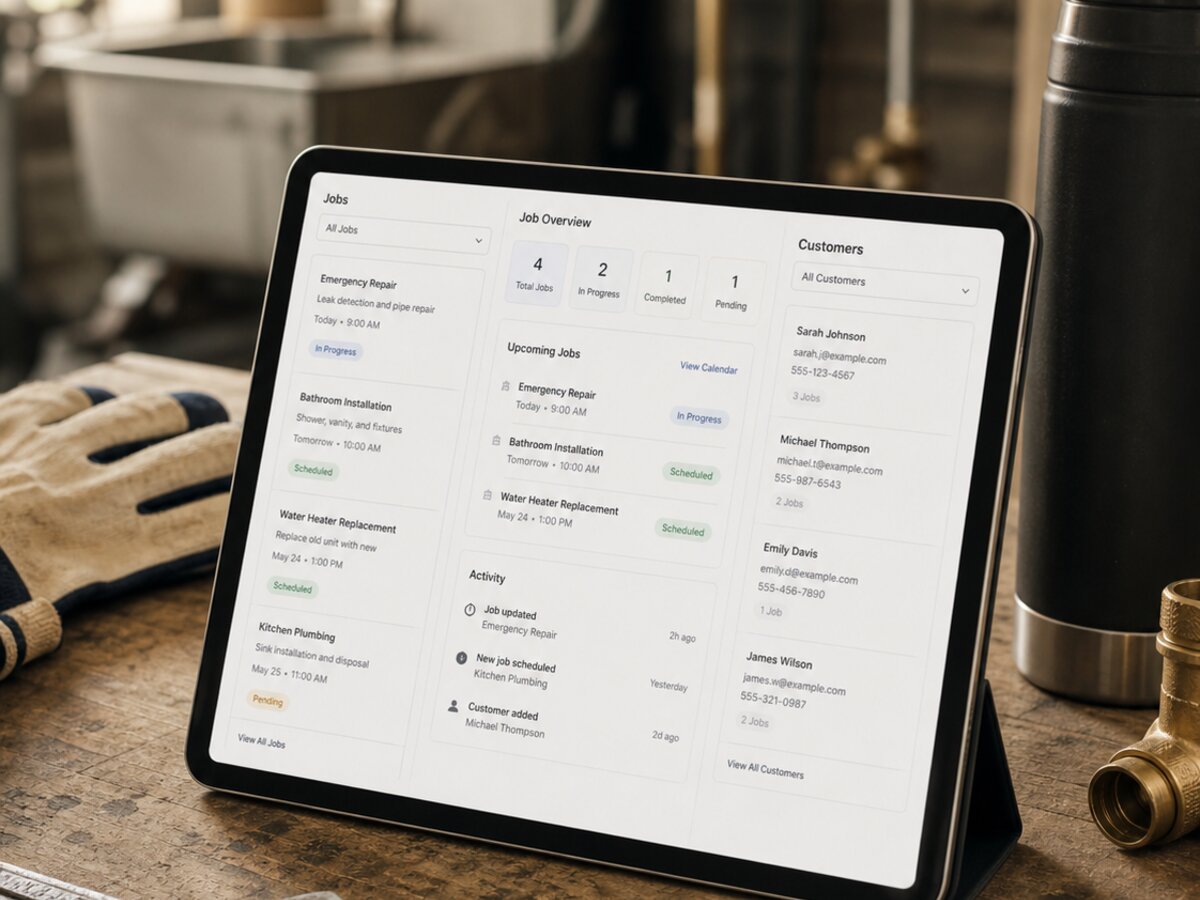
- Customer list — name, address, phone, what you’ve done for them before
- Job calendar — who’s where, when, with which van
- Quotes — sent from the kitchen, accepted by text
- Invoices — out the door before you’ve left the driveway
- Photo and note storage — attached to the job, not floating in your camera roll
- Payments — card on site, or a pay-by-link in the invoice
If a CRM does those six things well on a phone, you’re 90% of the way there. Everything else is gravy.
Why generic CRMs like HubSpot and Salesforce are wrong for plumbers
HubSpot is brilliant if you’re a SaaS startup chasing enterprise deals. For a two-truck plumbing outfit in Phoenix, it’s a sledgehammer for a thumbtack. The features you’d actually use cost more than your truck payment, and the ones you’re paying for — sales pipelines, marketing automation, deal stages — are designed for someone trying to close a $65k contract over six months, not someone installing a tankless water heater on Tuesday.
Here’s why the big-name generic CRMs miss the mark for plumbers:
- Built for sales teams, not field engineers. The whole interface assumes you’re sitting at a desk moving “leads” through a “pipeline”. A plumber’s pipeline is the diary, not a Kanban board.
- No scheduling-from-the-van. You can’t drop a follow-up job into Wednesday afternoon while you’re standing in someone’s airing cupboard.
- Pricing model is wrong. Per-user pricing kills you when you’ve got six engineers who each need access. $55 a user a month adds up fast.
- No invoicing or payments. You still need Xero, Stripe, and three other tools bolted on.
- No photo-to-job workflow. Trying to attach a picture of a corroded valve to a customer record in Salesforce is genuinely painful.
Generic CRMs aren’t bad software. They’re just not built for someone who spends their day under sinks.
The 6 things a plumbing CRM MUST do
If you take nothing else from this article, take this list. These are non-negotiable. If a system can’t tick all six, keep looking.
1. Mobile-first (not “mobile-friendly”)
Your engineer is using this on a phone, one-handed, in a leaky kitchen, possibly with gloves still on. Half the “mobile-friendly” CRMs out there are basically the desktop site squashed onto a phone screen. Test it before you buy — make whoever’s selling it to you open the app on a phone and book a job in under 30 seconds.
2. Two-way calendar sync
Google Calendar at the absolute minimum. If you book a dentist appointment in your personal calendar, your CRM should know not to drop a job on top of it. One-way sync is a recipe for double-bookings.
3. Quote to invoice in two taps
You quoted $625 for the work. Customer says yes. You should be able to convert that quote into an invoice without re-typing anything. Most modern systems do this. Some still don’t. Walk away from the ones that don’t.
4. Customer job history (last 5 years visible)
When Mrs Williams rings about a furnace you serviced in 2022, you want to see exactly what you did, what parts went in, and what photos you took — within ten seconds. This is the difference between looking like a pro and looking like you’re winging it.
5. Photo upload from the job
Snap, attach, done. Before-and-after photos protect you in disputes, help with insurance claims, and make your quotes look serious. The good systems let you mark up photos — circle the leak, add an arrow, write a note.
6. Payment collection
Card terminal in the truck or pay-by-link in the invoice. Both, ideally. Getting paid on the day, before you’ve packed up your tools, is the single biggest cashflow improvement a plumber can make. If the CRM can’t take a card payment, it’s missing a quarter of the value.
A CRM that doesn’t open on your phone, in a wet kitchen, with your gloves still on — is just expensive Excel.
Honest comparison: the main plumbing CRMs in the US
The actual options. Pricing is mid-2026 — it’ll have crept up by the time you read this, so always check directly with the vendor. We’ve kept this brutally honest.
ServiceTitan
ServiceTitan is the heavyweight. Built specifically for US HVAC, plumbing and electrical contractors. If you’ve got a 5+ truck operation and you’re serious about scaling, this is the industry standard.
- Pros: Deepest feature set on this list by a mile. Built-in call tracking, dynamic pricing (Price Book), dispatching board, marketing attribution, financing integrations (GreenSky, Synchrony), commission tracking, full payroll integration. Made for US plumbing/HVAC workflows.
- Cons: Expensive — you’re paying for the full enterprise stack whether you use it all or not. Steep learning curve; expect 60–90 days of pain during rollout. Requires a dedicated office admin to get real value out of it. Annual contracts only.
- Who it fits: Established US plumbing/HVAC contractors doing $1M+ in revenue with 5+ techs in the field.
- US pricing: Roughly $99–$400/user/month depending on tier. Implementation/onboarding fees on top can run $5,000–$15,000. Budget seriously.
Housecall Pro
Housecall Pro is probably the most popular CRM among smaller US plumbing and HVAC contractors. Slick mobile-first design, fair pricing, gets out of your way.
- Pros: Genuinely easy to learn — a new tech can use it on day one. Strong customer-facing features: online booking, automated review requests, "On My Way" texts. Built-in payment processing (HCP Pay) at competitive rates. iOS and Android.
- Cons: Reporting is shallow if you want to dig into job profitability. Scheduling works but isn’t as powerful as ServiceTitan’s dispatch board. Add-ons (Pipeline, HCP Money, etc.) stack up fast.
- Who it fits: 1–10 truck operations that want clean, simple, and fast to roll out. Probably the best value-for-money on this list.
- US pricing: Around $49/month for solo, $129–$279/month for small teams, custom for larger. Card processing is 2.59–2.99%.
Jobber
Jobber is Canadian but huge in the US, especially with home service businesses generally (cleaners, landscapers, HVAC, plumbing). Customer experience is the strong point.
- Pros: Best-in-class client communication tools. Automated review requests, appointment reminders, follow-ups, branded customer hub. Great if you want your client experience to feel polished. iOS and Android.
- Cons: Aimed slightly more at home services in general than plumbing specifically — some plumbing-specific workflows (multi-day projects, equipment install with permits) feel like a stretch. Per-user pricing climbs fast.
- Who it fits: Plumbing or HVAC outfits doing a lot of recurring residential work who care about customer experience and want something they can launch this week.
- US pricing: Around $59–$259/month depending on plan and team size.
FieldEdge
FieldEdge is QuickBooks-first — built to plug into QuickBooks Online or Desktop seamlessly. Aimed squarely at US plumbing, HVAC and electrical contractors.
- Pros: Tightest QuickBooks integration on this list — if your books already live in QB, this is the least painful CRM to bolt on. Decent dispatch, dynamic pricing, equipment tracking for service agreements. Strong on customer history.
- Cons: Mobile app is functional but feels dated next to Housecall Pro. Reporting is mid. Pricing isn’t fully transparent — you’ll need to sit through a demo to get a real quote.
- Who it fits: Plumbing/HVAC firms with 3–15 techs who are already deep in QuickBooks and want to avoid migrating their accounting.
- US pricing: Typically starts around $100/user/month after the “contact sales for pricing” conversation, often more.
Workiz
Workiz is the scrappy newer entrant. Fair pricing, decent feature set, popular with locksmiths, garage-door, appliance repair as well as plumbing.
- Pros: Cheaper than ServiceTitan or FieldEdge for similar core features. Built-in phone system with call recording and lead attribution. Decent online booking widget. Reasonable learning curve.
- Cons: Smaller user base — fewer integrations, smaller community, less third-party support. The deeper reporting and accounting integrations aren’t as polished as the bigger players.
- Who it fits: 1–5 truck operations that want most of the ServiceTitan-style features at a fraction of the price.
- US pricing: Around $65–$200/user/month depending on plan.
ServiceM8 (brief mention)
Australian-born, iOS-only on the tech side. Has US users but is more popular in Australia and the UK. If your whole team is on iPhones and you want pay-as-you-go credit-based pricing, it’s worth a look — but most US contractors are better served by Housecall Pro or Workiz at similar price points.
Red flags when buying a CRM
The sales calls all sound great. Here’s what to actually watch for before you sign anything:
- Annual contracts with no monthly option. If they won’t let you go monthly, they’re worried you’ll leave. Run.
- Hidden setup or “onboarding” fees. Always ask for the total first-year cost in writing.
- No US phone support. Email-only support from a different timezone when your invoicing goes down on a Friday afternoon is not fun.
- No free trial. Any decent CRM lets you have at least 14 days to kick the tyres.
- You can’t export your own data. If your customer list is locked in their database with no CSV export, you don’t own your business — they do.
- Per-user pricing with no team cap. Fine for two engineers. Crippling at ten.
- “Custom pricing — book a demo”. Usually means it’s expensive and they want to qualify you before they tell you.
- No native US sales tax handling. Sounds basic. You’d be surprised.
Same logic applies to your website and your review system — see our piece on contractor website mistakes and the guide to getting more Google reviews if you’re tightening up the rest of your setup at the same time.
Off-the-shelf vs custom-built — when each makes sense
Honest answer: off-the-shelf wins for about 90% of plumbing businesses. ServiceTitan, Housecall Pro, FieldEdge and the rest exist because most plumbing workflows are similar enough that one product can serve thousands of firms. Don’t reinvent the wheel if a $49/month tool does the job.
Custom-built only really makes sense when:
- You’re above roughly $750k annual revenue
- You run multiple trades under one roof (plumbing + electrical + renewables, say) and existing CRMs force you into separate systems
- You’ve got a workflow that’s a genuine competitive advantage — bespoke maintenance contracts, weird subcontractor arrangements, a referral program no off-the-shelf tool handles
- You’re paying so much in per-user fees that a one-off build pays back in 18 months
- You’ve already tried two off-the-shelf options and outgrown both
Full disclosure — building custom CRMs for trades is one of the things we do at Auto Ascension, alongside the websites and engagement systems we put together. But we’d genuinely send you to Housecall Pro or ServiceTitan first if that’s the right fit for your size. There’s no honor in selling someone a $25k build when a $49/month app would have done it.
If you’ve outgrown off-the-shelf and want to talk about a custom-built CRM that actually fits how your firm works, that’s a conversation worth having. If you’re under five engineers, save your money and pick one of the five above. And while you’re tightening up the business side, our guide to email marketing for contractors covers what to do with the customer list once your CRM is finally collecting it properly.
Pick the smallest tool that solves your actual problem. Use it for a year. Then revisit. That’s how this is supposed to work.
Frequently asked questions
How much should a plumbing CRM cost in the US?
For a sole trader, expect $20–$45 a month. For a small team (3–8 engineers), realistically $55–$95 per user per month once you factor in payment processing and add-ons. Anything above $135 per user per month should come with a very good reason — usually deep features like EPA certification tracking or multi-trade dispatching. Budget another $265–$1,295 for setup if you want it done properly.
Does my plumbing business really need a CRM?
If you’re a one-truck outfit doing 5 jobs a week and your diary fits in your head, probably not yet — a good calendar app and Stripe will get you through. The moment you hit two engineers, or 30+ jobs a month, or you’re losing track of who needs a follow-up service, it stops being optional. The hidden cost of not having one is missed jobs, late invoices, and customers who never hear from you again.
Can I just use Google Sheets or Excel instead of a CRM?
For about six months, yes. After that it falls apart. Spreadsheets don’t send invoices, don’t take card payments, don’t sync to your engineer’s phone, and don’t remind Mrs Garcia her annual HVAC tune-up is due. They’re brilliant for one-off lists. They’re terrible as the central nervous system of a growing plumbing business.
What’s the best free CRM for plumbers?
Honest answer — there isn’t one worth using long-term. HubSpot’s free tier exists but it’s built for sales teams, not field engineers. ServiceM8 has a free starter with limited job credits which is fine for a couple of months while you test it. For anything sustained, budget at least $25–$40 a month. Free CRMs cost you in lost jobs and chaos.
How long does it take to set up a plumbing CRM properly?
A weekend of focused work to get the basics in — customer import, job types, quote and invoice templates, payment integration. Another 2–3 weeks of using it daily before it feels natural. Allow 6–8 weeks before it’s properly embedded across the team. Trying to roll it out during your busiest month is the classic mistake — pick a quieter period.

Want this done for you?
Book a 20-minute discovery call. No pitch, no obligation — we’ll talk through your specific business and whether what’s in this guide is something we can help with.
Book a call